
Shōnen
Confident outlines, vivid color and dramatic cel shading. A bold starting point for an expressive anime profile picture.
Make an anime avatar, a couple portrait or an illustrated memory from your favorite photo. Explore soft hand-drawn looks, playful Chibi and bold cel shading, with one place to compare and create.
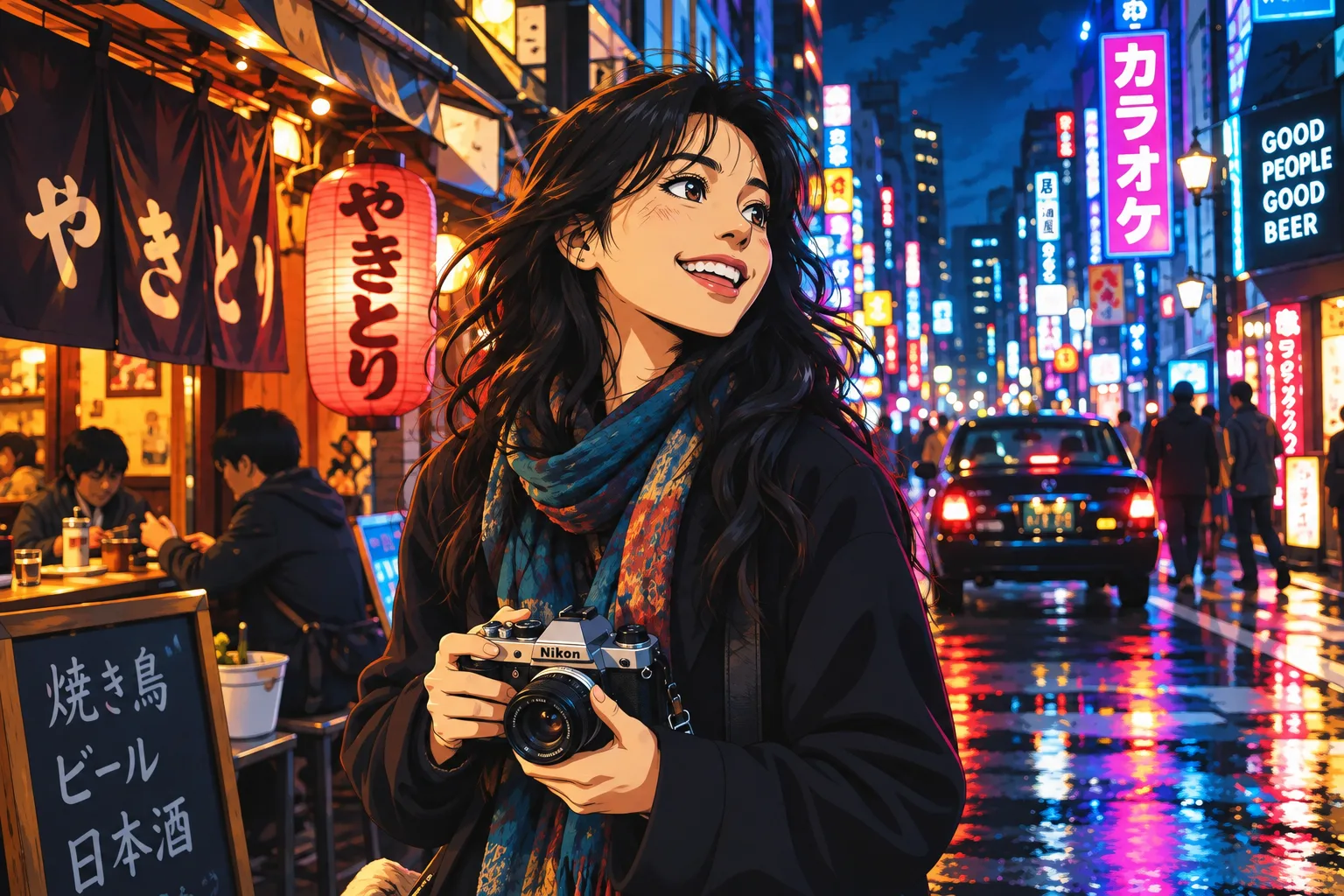
Shōnen
Example effect · Drag to compare photos. Your own result is created after you generate.
Your photo is uploaded only when you generate.
Upload a photo first — or tap an example to try.
A new generation or version uses credits. Confirmed failed tasks return their deducted credits; purchase refunds follow the Refund Policy.
Your photos and works are private.
Compare the same portrait across the full collection. Shōnen and Shōjo offer familiar anime treatments; Ukiyo-e and Art Nouveau blend anime faces with decorative illustration.
Confident outlines, vivid color and dramatic cel shading. A bold starting point for an expressive anime profile picture.
Delicate lines, soft pastels and sparkling eyes. Try this romantic treatment for selfies and couple portraits.
Warm hand-drawn faces and watercolor-like scenery. A gentle treatment for family photos and travel memories.
Hand-inked contours, flat shadows and subtle analog texture. A nostalgic alternative to polished modern anime.
Cel-shaded faces with cyan and magenta neon accents. Try a stronger, graphic look for a gaming or social avatar.
Woodblock-inspired contours and flat color planes. An anime illustration with a traditional print-like finish.
Larger heads, rounded features and smaller body proportions. A playful choice for individual and group portraits.
Flowing lines and botanical ornament around an anime portrait. A decorative option for a personal illustration.
See how the same styles adapt to one person, a couple, a family and a wider travel scene. Each pair below starts from the original photo shown.
Give a personal profile, community account or gaming identity an illustrated look. Start with a clear head-and-shoulders photo so the face remains readable at a small size.
Rounded features and a simple background for a friendly profile image.
Graphic shadows and neon lighting for a more dramatic identity.
Turn a photo together into an anniversary image, a digital card or a shared post. Use a photo where both faces are visible and compare the softer Shojo treatment with warm hand-drawn shading.
Soft tones and sparkling details give the portrait a romantic finish.
Warm colors and painted texture give the same photo a quieter mood.
Create an illustrated family memory for a digital album or greeting card. Choose a photo with clear faces, then check that every person remains distinct before sharing or preparing a print.
Gentle expressions and painted shading for a family keepsake.
Playful proportions give the four-person group a different character.
Keep the person and the place together. Wider photos let the anime treatment extend to street details, trees and light, making a useful starting point for a travel journal or personal post.
Warm daylight and watercolor-like scenery emphasize the place.
Stronger outlines and deeper cel-shaded colors add a nostalgic feel.
Sign in and upload your photo. JPG, PNG and WebP are good choices; the upload limit is 10 MB. Keep faces and important details visible.
Select a style and an aspect ratio. Add optional details in Advanced if you have a particular mood in mind, then check the credit estimate.
Generate the image, inspect faces and details, then download the result. Trying another style creates a new generation and uses credits.
Sharp features and balanced lighting give the model more useful information than a blurry or heavily filtered photo.
For couples and groups, avoid tiny or overlapping faces. Review the number of people and each face in the result.
Use a square crop for an avatar or a wider aspect ratio for a travel scene. Leave space around hair, heads and important background details.
Inspect the downloaded pixel dimensions and fine details for your intended print size. A screen preview alone does not establish print quality.
These examples are AI interpretations of the photos shown. Facial features, proportions and scenery can change, and results vary with the source photo, style and generation.
Use the generator above to upload a photo, choose an anime style and generate. You can add optional instructions, review the result and download it. Signing in and sufficient credits are required.
You can browse the example photos and compare styles without generating. Creating your own image uses credits; the generator shows an estimate before you submit. Available plans are listed on the pricing page.
Try Shonen for bold outlines, Shojo for soft romantic portraits, Ghibli for a warm hand-drawn look, Chibi for playful proportions or Cyberpunk for neon accents. The eight-style comparison uses the same source photo to make the differences easier to judge.
Yes. The examples show both couple photos and a family of four. Use an image where every face is clear, and review the result for missing people, merged features or changes in likeness.
Not exactly. The model is directed to retain recognizable features, hair, clothing and composition, but anime generation can reinterpret identity and proportions. Chibi intentionally changes head-to-body proportions.
Yes. The travel examples show the person and surrounding street transformed together. A wider output ratio helps retain the setting; small lettering, buildings and background details may change.
No. Choosing a style supplies the base instructions. Advanced includes an optional prompt for additional preferences such as a softer palette or stronger shadows.
Processing time and output dimensions depend on the configured model, aspect ratio and service demand. Check the generated file for its actual size. The examples are illustrations of the styles, not a guarantee of identical dimensions or completion time.
See credit packages and photo generation rates on the pricing page.
Choose the mood, keep the memory, and create a new version of your photo.