
GTA V Loading Screen
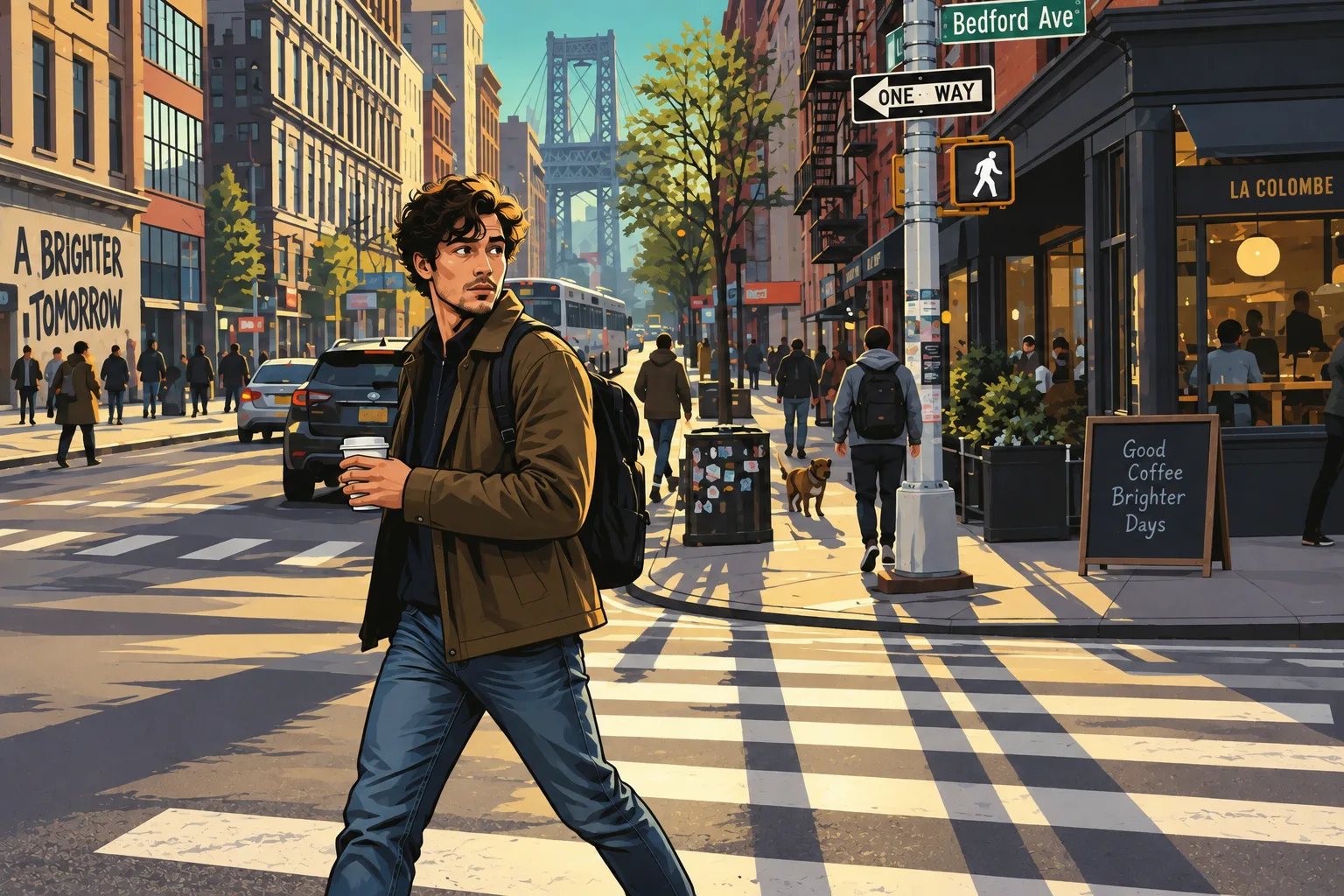
Bold outlines and painted shadows turn an everyday moment into loading-screen-inspired character art.
Become the character in your favorite kind of game world. Turn a street photo, portrait or familiar place into bold GTA-inspired art, retro PS2 graphics, pixel art or a block-built scene.
GTA V Loading Screen
Example effect · Drag to compare photos. Your own result is created after you generate.
Your photo is uploaded only when you generate.
Upload a photo first — or tap an example to try.
A new generation or version uses credits. Confirmed failed tasks return their deducted credits; purchase refunds follow the Refund Policy.
Your photos and works are private.
The same street photograph runs through every example. Compare the shapes, textures and lighting to find the look you want.
Bold outlines and painted shadows turn an everyday moment into loading-screen-inspired character art.
Pink and cyan neon, tropical details and an evening glow give the same street an unmistakably 1980s mood.
Angular faces, coarse textures and restrained lighting recall the early days of 3D console games.
Expressive eyes, sculpted hair and hand-painted surfaces bring a softer, character-driven RPG interpretation.
Chunky pixels and simplified color blocks reduce the scene to its most recognizable shapes.
Finer pixels, richer shading and detailed scenery give your photo the feel of a retro adventure.
A cubic character, simple textures and block-built surroundings create a familiar voxel-world look.
More sculpted voxel detail and warm directional light add a cinematic finish to the block-world treatment.
AI interpretations of the original shown. Features and scenery can change; Vice City deliberately reimagines the lighting and surroundings. These are style-inspired images, not screenshots from the games.
A new visual identity, a familiar place reimagined, or a little nostalgia for your feed.
Give a community profile or social post a game-inspired identity. A clear face and recognizable outfit make a useful starting point; leave space for a later avatar crop.
Turn a favorite street, trip or personal memory into pixel artwork for a wallpaper or digital keepsake. Wider photos leave room for the setting as well as the subject.
Reimagine a street or travel photo as a voxel world. Use the still image for a personal post or as visual inspiration for a build, rather than as an importable game world.
Upload a JPG, PNG or WebP image up to 10 MB. Use a clear subject with enough room to show the surroundings you want to keep.
Pick an illustrated, retro 3D, pixel or block-world treatment. Choose a framing ratio and add optional details.
Review the credit estimate, generate and inspect the result. Download your image, or try another style with a new generation.
Start with GTA illustration or PS2 RPG. A visible face, distinct hairstyle and simple pose provide a stronger reference than a distant subject.
Try 16-bit for detailed streets and landscapes, or 8-bit for a bolder, simpler interpretation. Fine lettering and small faces can lose detail.
Classic Minecraft favors a simpler cubic character. Minecraft Scene adds sculpted detail and lighting; both produce a still image.
Use a square composition for a profile picture or a landscape ratio for a scene. AI can reinterpret faces, hands and background details, so review before sharing.
Yes. Grand Theft Auto VI launched worldwide on November 19, 2026, for PlayStation 5 and Xbox Series X|S. To make your own Vice City-inspired portraits, loading screens, or wallpapers, explore the VFilter prompt library. GTA 6 prompts
Upload a clear photo, choose one of the eight styles, select an aspect ratio and generate. The source photo guides the subject and composition. The result is a still image that you can download.
Both. GTA V Loading Screen and Vice City Style are the two illustrated options. The same workspace also includes two PS2-inspired treatments, two pixel-art treatments and two Minecraft-inspired block-world treatments.
GTA illustration creates strong outlines, PS2 RPG gives a stylized 3D character, and pixel art offers a more abstract identity. Use a close, well-lit portrait and leave room around your head for a square or circular crop. Likeness is not guaranteed.
Here, 8-bit uses larger pixel clusters and simpler colors, while 16-bit adds finer details and richer shading. These names describe the visual style; they do not guarantee an exact palette, pixel grid or compatibility with vintage hardware.
Yes. These styles transform the whole image, including buildings and scenery. The comparison uses one street photograph so you can see how each treatment changes the same composition. Small text and distant details may change.
No. Both Minecraft-inspired options produce still artwork. They do not export a skin template, 3D model, texture pack or playable world.
You can browse and compare the examples without generating. Creating your own image requires sign-in and credits. Check the estimate in the workspace and the current options on the Pricing page.
It works in a mobile browser with JPG, PNG and WebP images up to 10 MB. Each preset includes its style direction, so you do not need to write a prompt. Optional details are available in Advanced.
The photo is a reference, not a guarantee of exact reconstruction. Faces, proportions, objects and scenery can change. Vice City deliberately reinterprets the atmosphere and can add tropical or neon details.
No. VFilter is an independent image tool. Game and console names describe visual inspiration; the images are not official assets or in-game screenshots.
See credit packages and photo generation rates on the pricing page.
Choose the look. Keep the moment.