Classic 2D Cartoon
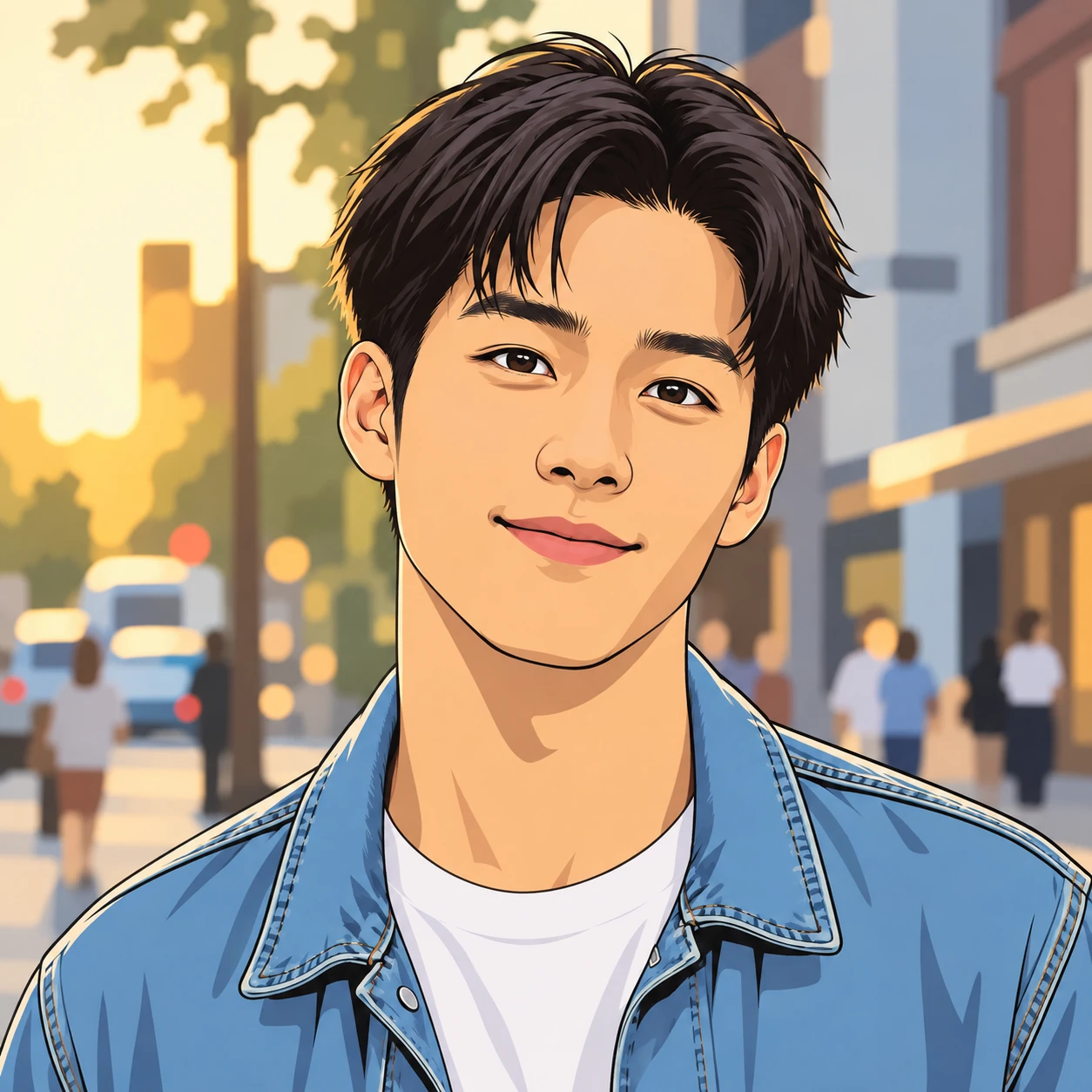
Clear outlines, flat colors and simple cel shadows. A friendly illustrated look that stays readable in a small profile picture.
Turn a selfie into a cartoon avatar. Compare clean 2D drawing, bold comic ink and a playful caricature, then upload your photo and create your own.
Classic Cartoon
Example effect · Drag to compare photos. Your own result is created after you generate.
Your photo is uploaded only when you generate.
Upload a photo first — or tap an example to try.
A new generation or version uses credits. Confirmed failed tasks return their deducted credits; purchase refunds follow the Refund Policy.
Your photos and works are private.
All three results use the same source photo. Compare the linework, shading and proportions, enlarge a comparison, then use your favorite style.
Clear outlines, flat colors and simple cel shadows. A friendly illustrated look that stays readable in a small profile picture.
Bold ink, graphic shadows and printed halftone texture. A punchier option for a personal profile or a colorful social post.
Playfully exaggerated facial shapes and expressive brushwork. Choose this when a humorous interpretation matters more than realistic proportions.
Sign in and choose a JPG, PNG or WebP image up to 10 MB. Start with a well-lit portrait of one person, with the face unobstructed.
Compare the three treatments, choose an aspect ratio and add optional details in Advanced. Selecting a style keeps your uploaded photo in place.
Check the credit estimate and generate. Review the faces and details before downloading. Trying another style creates a new image and uses credits.
Sharp eyes, even lighting and an unobstructed face give a clearer reference than a blurry selfie or a heavily filtered photo.
Square framing works well for avatars. A wider ratio can suit couples and groups. Keep hair, ears and other important details inside the frame.
Start with Classic Cartoon for a gentler interpretation. Caricature deliberately changes proportions, while Comic Book adds stronger outlines and shadows.
Check faces, hands and the number of people. For a physical print, inspect the downloaded pixel dimensions against your intended print size.
Upload a clear photo in the workspace, choose a cartoon style and an aspect ratio, then generate. You can compare the sample portraits first and download your own result after it is ready.
You can browse the examples without generating. Creating your own image requires sign-in and credits. The workspace shows an estimate before submission; check Pricing for current credit options.
Classic Cartoon uses flat color and clear outlines. Comic Book uses bold ink and halftone texture. Caricature deliberately exaggerates facial shapes for a humorous portrait.
The source photo guides the face, hairstyle, clothing and composition, but likeness is not guaranteed. Clear photos usually provide a better reference. Caricature intentionally changes facial proportions; review every result before using it.
The examples on this page show individual portraits. Start with a clear photo of one person. Group results can vary; check every face and the number of people in the result.
The examples on this page show people. Results with pet photos can vary; compare coat markings, ears and other details with your original.
This page focuses on flat 2D cartoons, American comic illustration and caricature. Photo to Anime has a separate collection of anime-oriented treatments, including shonen, shojo and retro anime.
No. Each preset includes its style direction. You can add optional details in Advanced, but a clear photo and a selected style are enough to start.
The workspace accepts JPG, PNG and WebP images up to 10 MB. Choose an image you are entitled to use and avoid photos with blurred or heavily obscured faces.
The tool works in a mobile browser. Upload a photo from your device, choose a style and review the result. Leave space around your head if you intend to use a circular profile crop.
Generation time varies with the image service and demand; the workspace shows progress. This page requests the 1K output tier, with dimensions depending on the selected aspect ratio and service. Inspect the downloaded file before deciding on a print size.
It creates a still cartoon image. You can use the downloaded image in your own layout, but this tool does not add card text, create a print order or animate the portrait.
See credit packages and photo generation rates on the pricing page.
Choose your photo and the look that feels like you.